Return
Shortcuts and Controls
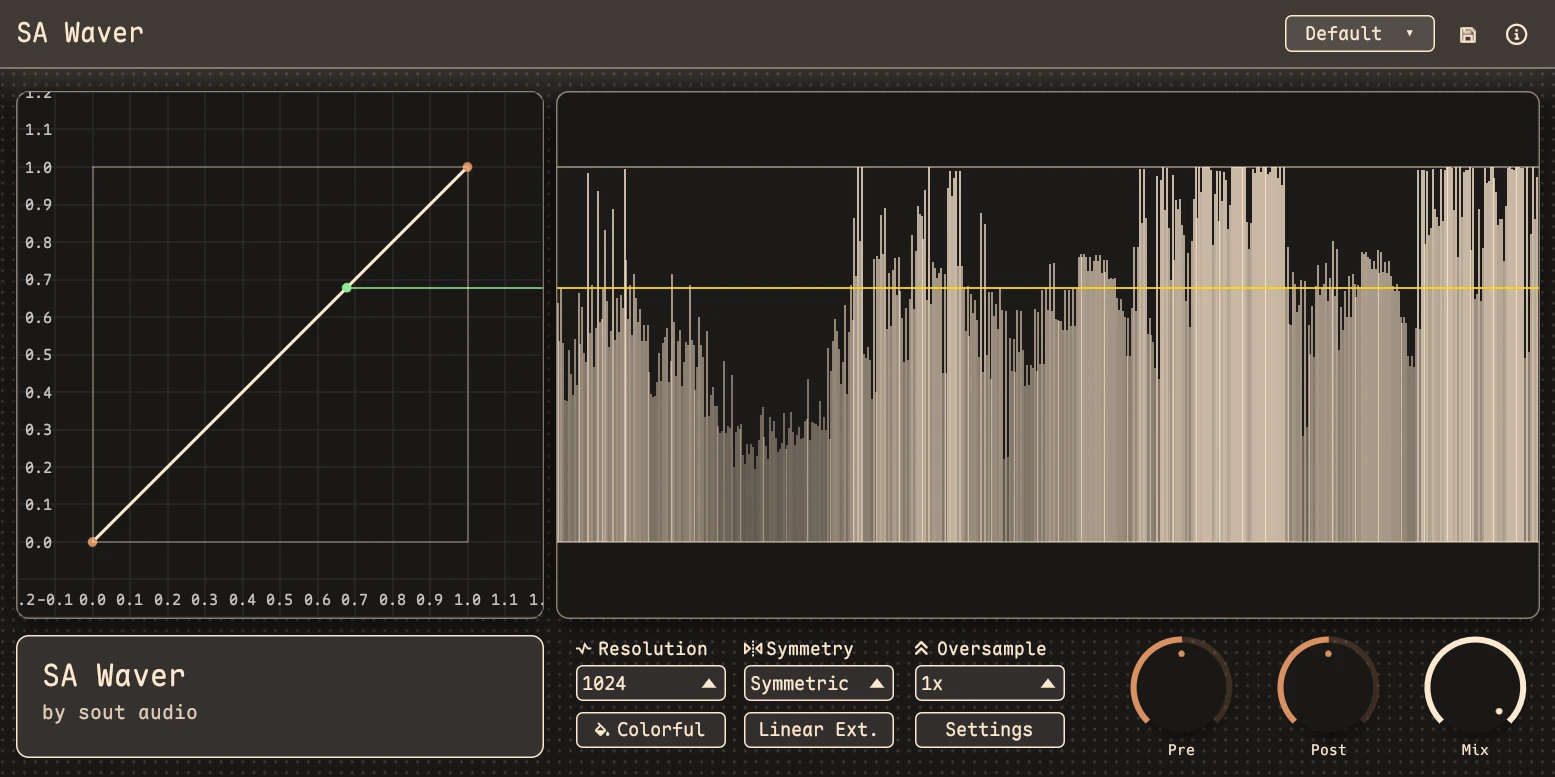
A quick reference for the parameter knobs and the curve editor, based on the plugin's built-in interaction model.
Parameter Knobs
Drag with the mouse
Adjust the parameter.
Shift + drag
Fine adjustment.
Double-click a knob
Reset to default.
Ctrl + click a knob
Reset to default.
Click the value text
Enter a value manually.
Press Enter while editing a value
Confirm the value.
Press Esc while editing a value
Cancel the edit.
Curve Editing
Left-drag a node
Move the node.
Left-click empty space
Clear the current selection.
Left-drag empty space
Marquee-select multiple nodes.
Ctrl + left-click a node
Add or remove it from the selection.
Middle-drag
Pan the view.
Delete or Backspace
Delete the selected node or nodes.
Shaping, Just Shaping
SA_WAVER has highly flexible curve editing. You can drag stuff around and shape the sound...
Editable transfer curve
676676767676766767
Pre / Post Gain and Mix
676676767676766767
Symmetric or asymmetric shaping
676676767676766767
Up to 8x oversampling
676676767676766767
Preset workflow and automation slots
676676767676766767
CLAP / VST3
676676767676766767
Quick Notes
Push the input harder with Pre Gain, then redraw the curve until the harmonics land where you want.
Symmetry mode is very good, very good symmetry mode.
Turn on higher oversampling when the tone gets aggressive and you want the top end to stay cleaner.
Built in Rust
The plugin is built with Rust, nih-plug, and egui. It supports CLAP, VST3, and idk builds, and do u like a femboy programming language? visit rust-lang.org

SOUT AUDIO
Unstable plugins for stable minds.